TCU : RE-CODE TCU controls and inputs
Desktop and mobile inputs for playables, partners, titans, Menu Config, and what Recode plans to change.
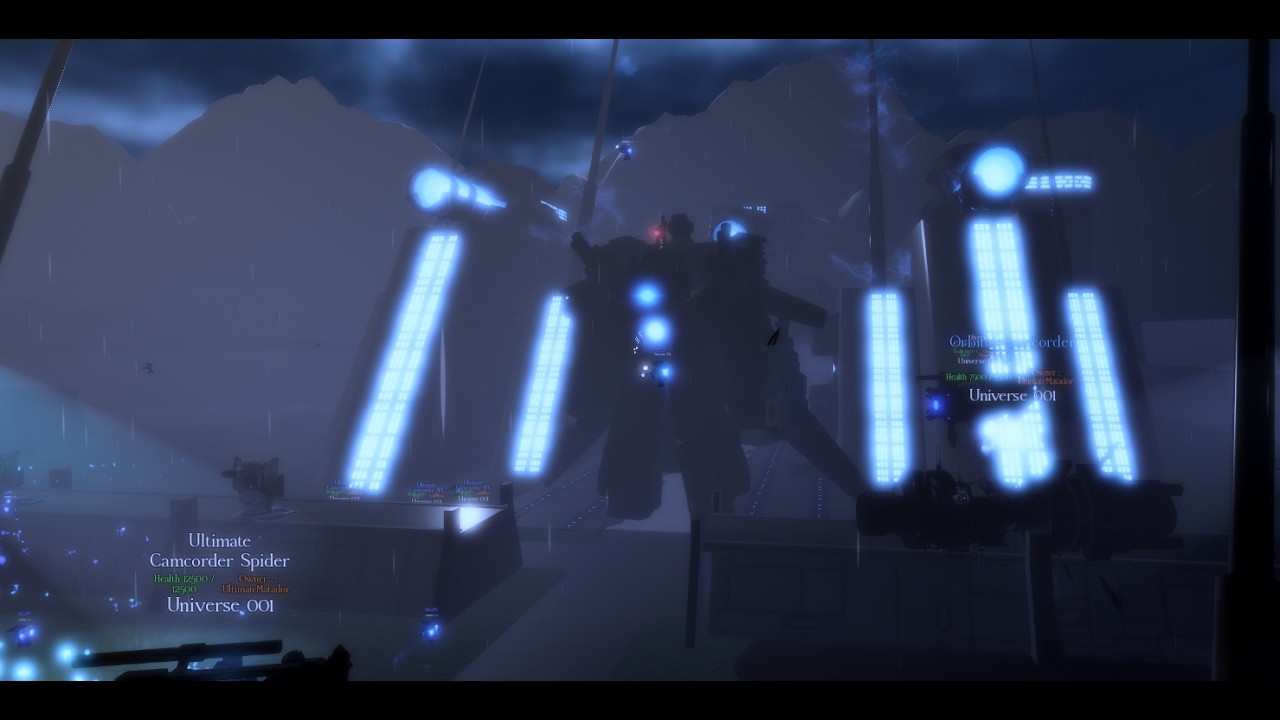
Toilet Collapsed Universe uses standard Roblox movement with character-specific ability keys on top. Mastering inputs matters as much as owning a meta unit: Hard Mode wave 12 fails when GMAN 3.0 lives long enough to spam summons, and Titan Protocol mistakes often come from mis-presses under pressure. This guide covers live legacy controls. TCU : RE-CODE is still upcoming and is expected to ship reworked keybinds plus a hitbox displayer — those tools are not in the current place yet.
New players should finish the Getting Started checklist before optimizing binds. Mode rules sit in How to Play.
Universal Roblox layer
| Action | Typical input | Notes |
|---|---|---|
| Move | WASD / left stick | Strafe while charging toilets |
| Jump | Space / A button | Use for rocket and laser tells |
| Camera | Mouse / right stick | Keep bosses centered before ultimates |
| Sprint / shift-lock | Game settings dependent | Enable shift-lock on desktop if you aim lenses |
| Chat / commands | / then message | Type ?end to end a round |
| Menu | Bottom-left Menu button | Event / Casual / Private, Config codes, loadout |
Open Menu → Config to redeem TheLastAct and TCU. RecodeIsSoon is unconfirmed — see expired codes. Never paste codes into chat. Full redeem troubleshooting lives on how to redeem with the live list on the codes hub.
Playable ability keys
Each playable line (Camera, Speaker, TV, Toilet, Survivor, gamepass / multiverse) maps abilities to number keys or side buttons on desktop. Exact labels change per character skin, but the pattern is consistent:
- Primary fire / tool — continuous damage or lens shot.
- Special 1 — mobility or short cooldown burst (dash, stomp, drone pop).
- Special 2 — heavier cooldown, often crowd control.
- Ultimate / transformation — long cooldown; save for G-Man tiers and DJ Mech.
TV and Scientist lines matter for capture tools. Glitch Toilet progress needs Scientist Mech special capture behavior, not a raw kill — see How to Get Units. Camera Woman memory puzzles later ask you to move as Camerawoman through Alpha Hills; those segments still use the same movement layer with puzzle interactions instead of pure DPS keys.
Practice ability timing on Easy Mode where dying is cheap. Medium is where you learn to weave specials between toilet packs without standing in laser telegraph cones.
Partner commands and focus
Partners are selected in the lobby and largely act on AI. Your job is positioning: keep the partner between soft toilets and your casting animations when possible, and do not steal every last-hit if a quest needs a specific capture. Partner quality rankings on the unit tier list assume you are not AFK in a corner. If a partner looks stuck on geometry, kite enemies toward open ground near the golden toilet rather than into map seams.
Online co-op with human friends still respects the same ability keys; call outs help on Boss Rush when G MAN V4 or infected titans overlap. Private servers are ideal for learning without chat noise.
Titan Protocol inputs
Titan Protocol sits at map center by the golden toilet. Interact to open the titan summon list. Remember the hard rule from How to Play: one of each titan per match, and a dead titan cannot be resummoned until the match ends.
When a titan spawns, your control scheme may switch into titan-scale abilities. UTCM on mobile exposes fewer buttons than desktop — commonly Stomp, Dash, and Flash Cannon — so mobile UTCM players must prioritize those three and skip fancy desktop-only combos. Read the UTCM page before you invest upgrade Materials into Shield, Improved Lens, or New Jetpack paths.
Desktop titan users should bind camera reset mentally: titan models are huge, and laser toilets punish tunnel vision. If your titan is about to die, do not spam interact hoping for a second copy — play the rest of the match on foot with your partner.
Mobile-specific tips
- Use Casual Easy to place ability buttons where your thumbs actually reach.
- Expect reduced UTCM skill count; plan burst windows around Flash Cannon.
- Keep
?endready in the chat bar presets if your client supports command history. - Banner pulls and Config redeem are easier in portrait lobby UI — do them before queuing.
- Hard Mode solo on mobile is possible with Astro Polycephaly or upgraded ETV, but wave 12 burst timing is harder without precise mouse aim — see Hard Mode.
Settings that improve clarity
Lower graphics if toilet particle spam hides telegraphs. Enable any available damage numbers or highlighting FStudio exposes in Config. Lock FPS to a stable number rather than uncapped stutter on low-end devices. Headphones help for Speaker audio cues and DJ Toilet audio tells on wave 15.
Recode control changes (upcoming, not live)
FStudio has previewed Recode work on models, hitboxes, lobby UX, toilet behavior, lasers, rockets, and flying. Planned quality-of-life includes a hitbox displayer and new keybinds for reworked playables. Treat those as future tools. Do not wait for them to learn legacy inputs, and do not claim they are already shipping in the current place. Migration impact is covered in Recode migration and Recode updates.
When Recode opens on its new place, re-check every bind from scratch. Old muscle memory for rocket dodges may fail under new hitboxes. Titan Trio owners should also remember those titans are not expected to restore — input mastery on Titan Trio remains a legacy flex.
Practice routine
- Redeem codes in Config (codes).
- Queue Private Easy; practice primary + special weaving without titans.
- Summon one low-stakes titan on wave 8, then finish on foot if it dies.
- Repeat on Medium with stricter special discipline.
- On Hard, pre-plan which keys you will press at wave 12 open.
- Only then run Boss Rush or Denver.
Optional scripts and auto farm tools bypass learning — fine if you accept Roblox risk via executor setup, useless if you want real Hard Mode reads.
Bookmark the guides hub, keep Discord discord.gg/toiletcollapseduniverse for patch voice notes, and confirm board changes on Trello. Clean inputs clear more waves than a random Standard banner ever will.
Frequently Asked Questions
Quick answers for TCU : RE-CODE players.
How do I end a round from keyboard?
Open chat and type ?end. The match ends without forcing you to leave the Roblox experience.
Why does mobile UTCM feel limited?
Mobile UTCM typically exposes Stomp, Dash, and Flash Cannon only. Plan around that reduced set.
Where do I redeem codes?
Menu → Config. Chat will not accept TheLastAct or TCU. RecodeIsSoon is unconfirmed.
Will Recode change keybinds?
Yes — Recode is expected to add reworked playable keybinds and a hitbox displayer after it launches on the new place.